A little help for your whole household

Less keeping track.
More little wins.

The chores, the plans, the “what’s for dinner?” Bring the everyday pieces of home together with PounceList.

Start free on one device. Share across devices with Purremium.

A home is a team effort.
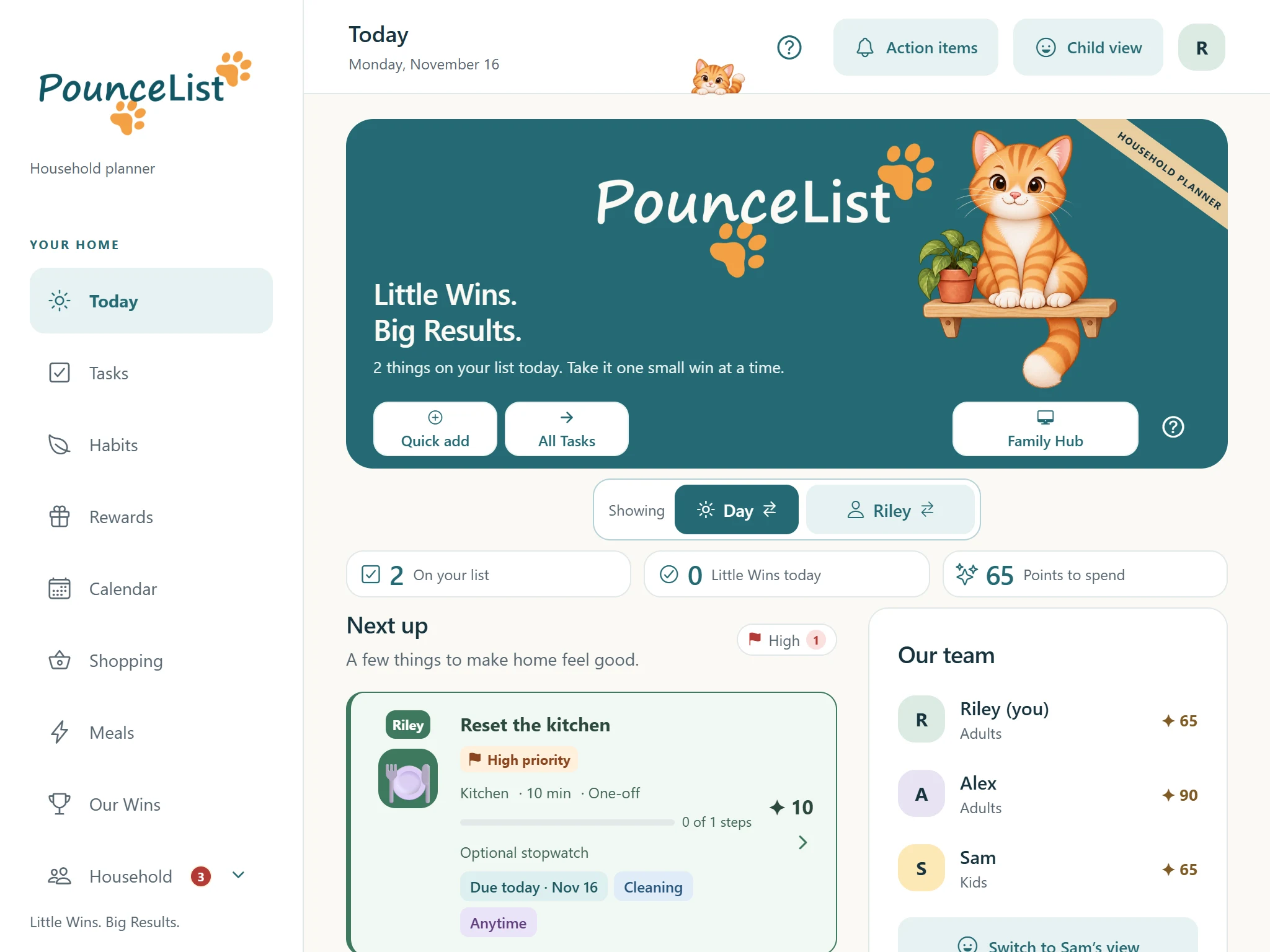
PounceList Today on an iPad, with an example family's tasks and points
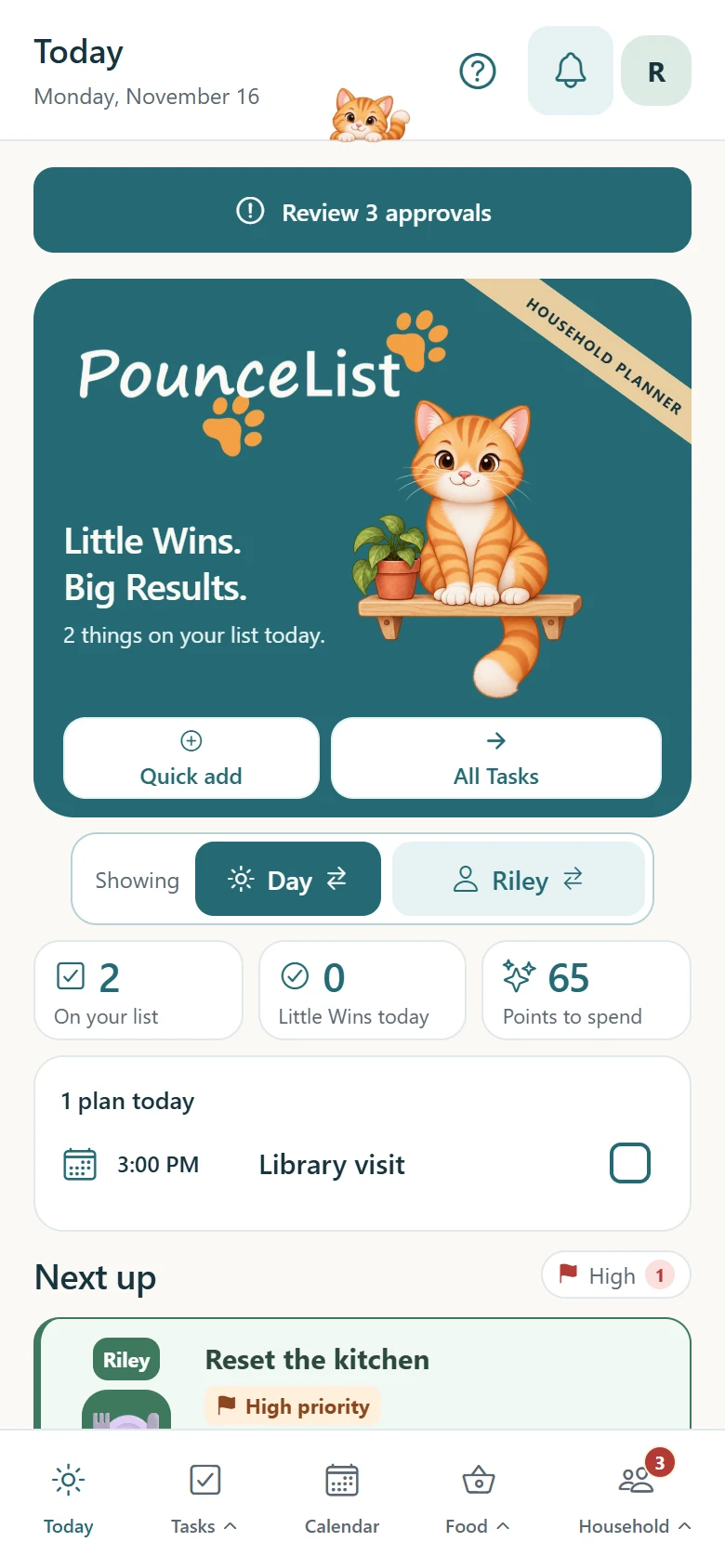
The same Today screen on an iPhone
Real app screens · example household

Take the tour

See what’s inside.

Eight short chapters, one example family. Scroll through the real PounceList screens on iPad and iPhone, or jump to the part you care about.

  1. 1Today
  2. 2Tasks
  3. 3Child view
  4. 4Habits & rewards
  5. 5Calendar & Hub
  6. 6Food
  7. 7Household
  8. 8Help
Tour · TodayPlansGet the app
1Today

Everyone knows what's next.

PounceList opens on today: what's due, who it's for and the points to earn.

Step 1 of 4

Your day at a glance.

Today gathers the tasks due now and anything carried over from earlier, so nothing slips through the cracks. Points to spend and Little Wins show how the day is going.

For exampleRiley has two things on the list this morning and 65 points ready to spend.

Also here: A High filter for the most important work, and local weather.

Step 2 of 4

The week ahead, one tap away.

Swap Today from Day to Week to see the next seven days, each with a count of what's on it. Tap a day for its plans and tasks, and swap between your own list and the whole household's.

For exampleMonday has ten things on it for the household, and the library visit is at 3:00.

Step 3 of 4

Add it before you forget.

Quick add asks only what you need: a task or an event, what it is, who it’s for and when. Start from a saved task in one tap, or open the full form when it needs steps, a reminder or a repeat.

For example“Take the bins out”, for Alex, tomorrow: added as a one-time task worth 10 points.

Step 4 of 4

Open a task, see what done looks like.

Every task carries its directions, its points and any smaller steps. An optional stopwatch keeps track of the time spent.

For exampleReset the kitchen: wipe the counter, 10 minutes, 10 points.

2Tasks

Big chores, small steps.

Simple chores stay simple. Bigger jobs get steps, schedules and fair turns.

Step 1 of 4

Every task, in one list.

All Tasks shows the whole household's work. Colors and labels show who it's for and when it's due, and the filters narrow the list by person, room, category or type.

For exampleReset the kitchen is Riley's, due today and marked High priority.

Also here: Add a task or an event right from the list, task templates, shared tasks anyone can pick up, and a Weekly list view you can print or send.

Purremium · Describe your task: say or type it, and PounceList fills in the details for you to check.

Tap High to see only the tasks that matter most.

Step 2 of 4

Break it into doable pieces.

Steps turn a big job into a short checklist. Progress is saved as you go, and the whole task earns its points once.

For exampleWash the car: rinse, soap and scrub, dry the windows.

Also here: Timers, task icons, completion photos and Not today / need help.

Step 3 of 4

Take turns, fairly.

Repeating chores can rotate between people. The next person's turn starts when the work is approved, and a skip keeps the same person's turn.

For exampleYou take out the recycling this week, Alex takes it next week.

Step 4 of 4

Check the work, then celebrate it.

Tasks can wait for a grown-up's review before the points count. Approve it, or send it back with a helpful note.

For exampleSam put the toys away. Approve, and 5 points land in Sam's total.
3Child view

You set it up. They pitch in.

Give a child in your household a simple view of their own. You choose their missions and rewards; they see only what’s theirs, with a way to ask for help.

Step 1 of 3

Only what’s theirs.

In child view, a child sees only their own missions, points and Little Wins. Your adult view is a tap away, behind an optional PIN.

For exampleSam has five missions on the list and 65 points to spend.

Also here: From child view, a child can find a mission that fits the minutes they have, ask for a reward, vote in family polls, and suggest a mission or family idea.

Step 2 of 3

A timer for the tricky ones.

Some missions need a set amount of time. The timer keeps running even if your child leaves the screen.

For exampleBrush your teeth: two minutes, 2 points.

Step 3 of 3

Not today / need help.

A child can ask to skip a mission or ask for help, with a note. You decide what happens next.

For exampleMake your bed: "I can't reach the top bunk." Help is on the way.

4Habits, rewards & Our Wins

Effort worth celebrating.

Points add up to rewards your family chooses, and every win gets noticed.

Step 1 of 3

Build a habit, one day at a time.

Check in each day and see the last seven at a glance. Add an optional weekly bonus for keeping it up.

For exampleRead for ten minutes: six check-ins this week, 10 bonus points when the week is done.

Step 2 of 3

Earn points, request a reward.

Rewards are things your family actually wants, and you set them up yourself. Anyone with enough points can ask for one, and an adult says yes.

For exampleChoose movie night for 20 points, or an ice cream trip for 40.

Also here: Pocket money for points, a price for each group, limits on who can ask and how often, owed rewards so an approved reward doesn’t get forgotten, and reward templates.

Step 3 of 3

Notice the wins.

Our Wins collects the finished work and enjoyed rewards from the past week. No rankings, just effort worth seeing.

For exampleSam: fed the cat, tidied the desk, set the table, and picked what's for dinner.

Also here: Celebrations with Pounce the cat when the work gets done.

5Calendar & Family Hub

The whole week in one place.

Tasks, meals and events share one calendar, and the kitchen iPad can show it to everyone.

Step 1 of 3

Month, week or day.

See tasks, meals and events together, or show only the ones you need. Anything overdue gets its own reminder at the top.

For exampleMonday is the busy one; the dentist is on Thursday and movie night on Friday.

Also here: Yearly repeats for birthdays, high-priority events, and connected phone calendars shown read-only.

Step 2 of 3

Events in a few taps.

Name it, pick the day and start time, and choose how long it lasts with one tap. Choose who’s going, how often it repeats, and add a place or a reminder if you like.

For exampleSoccer practice at 5:00 PM for an hour, with Riley going.

Step 3 of 3

A display for the kitchen counter.

On iPad, Family Hub turns the week into a shared display. Pick a person, see their tasks, meals and events, keep the screen awake, or show a clock when no one is using it.

For exampleEveryone checks the counter before school instead of asking.

6Food

From "what's for dinner?" to the shopping list.

Plan the week's meals, keep your recipes, and let the shopping list fill itself.

Step 1 of 3

Shopping lists that stay tidy.

Keep separate lists for groceries and household supplies, with quantities and notes. Check things off as you go.

For exampleMilk, bananas, a dozen eggs. Bread's already in the cart.

Purremium · Share your lists across devices.

Step 2 of 3

Plan the week's meals.

Choose breakfast, lunch, dinner or snack, then fill in the days from your own Recipe Book or just type a name. Add the whole week's ingredients to Shopping in one tap.

For exampleVegetable pasta Monday, taco bowls Tuesday, leftovers Thursday.

Also here: A Recipe Book that flags ingredients to check.

Step 3 of 3

Meal Maker. Purremium

Tell it how many people, how much time and what you have. Meal Maker suggests a recipe to review, keep and plan.

For exampleFour people, 30 minutes, chicken and rice: here's a stir-fry.

Also here: Kitchen Setup for the pantry and equipment you have.

7Your household

Run it together.

One place for the grown-up decisions, the family's votes and everyone's profiles.

Step 1 of 3

Action items.

Everything waiting on a grown-up in one spot: work to review, family ideas, owed rewards and polls to vote on.

For exampleSam's toys and a movie night request to review, one family idea, and a reward to deliver.

Step 2 of 3

Family polls.

Ask the family a question and let everyone vote. Results stay private to adults, and an adult makes the final call.

For exampleWhere should we go on Saturday? The park and the museum are tied.

Step 3 of 3

Everyone gets a profile.

Add each family member with their own profile. Grown-ups get adult controls, and kids can have a child view of their own.

For exampleRiley and Alex are adults with adult controls, and Sam has the younger kids’ view.

Also here: Groups, Mobile Pounce alerts and quiet hours, an adult PIN, Vacation mode, and how much Pounce the cat celebrates.

Purremium · Invite someone to share the household across devices.

8Help that's built in

Never stuck.

PounceList does a lot, so help is never more than a tap away.

Ask the app.

Tap a question mark for an explanation of what’s next to it. The Help Center opens on help for the screen you were just on, with guides on every topic and Show me how practice using a sample family, so your own household stays unchanged.

For exampleNot sure how rotation works? Practice it on a sample family first.

Also here: Search across all guides, and a simple guide for children using child view.

These are pictures of the real app with an example family (Riley, Alex and Sam). Nothing here creates an account, saves anything or makes a purchase. Select a picture to see it larger.

A little more, together

Free to start. Purremium to share.

Setting up an account or household is free. Invitations and sharing across devices require Purremium.

Your everyday essentials

PounceList Free

$0 on one device

  • Tasks, habits and rewards
  • Calendar, shopping and meal planning tools
  • Local family profiles
  • Help and guided practice
Start with the app
✦ One plan for your household

Stay connected

Purremium

$3.99 USD / month

Billed monthly through your app store.

Renews automatically until you cancel. Cancel any time in your App Store subscription settings.

  • Invite family and share across devices
  • Keep shared tasks, lists and plans in sync
  • Smart task drafting and Meal Maker, within included usage limits
Get the app to subscribe

Why a paid plan? Keeping a household connected and running smart helpers has ongoing service costs. Purremium helps cover those costs and support PounceList’s development.

Prices shown in US dollars. Local prices and availability are shown in your app store. No purchases are made on this website.

Need a hand?

A few good questions.

Can I use PounceList for free?

Yes. Use the everyday tools on one device with local profiles. Creating an account or household is free, but inviting people and sharing updates across devices require Purremium.

Can I use the app in this browser?

This website shows a picture tour of the app. It does not provide a working household or account sign-in. Use the mobile app for your real tasks and plans.

Will the tour change my household?

No. These are pictures of an example family. Scrolling through the tour only changes the picture shown here.

Where do I learn how to use a feature?

In PounceList, tap a question mark for help with the nearby feature. Show me how opens guided practice with sample data. You can also browse Household → Help Center.

What happens to my family’s information?

We never sell your personal information. We never use it for advertising, and the app has no advertising or tracking code. On one device without an account, your household stays on that device. A shared household or the online backup is stored on PounceList’s servers so it can reach your other devices. You can delete it at any time. The Privacy Policy has the details.

Do I need to pay on every family member’s device?

One Purremium plan covers the household’s included members. They join the shared household with their own accounts and profiles.

Make room for a little Pounce

Your home, in your pocket.

iPhone & iPadApp StoreLink coming soonAndroidGoogle PlayLink coming soon

Store links will appear here when available.

Little Wins. Big Results.

Make home feel
a little more together.

Meet PounceList on your device ↗
Pounce relaxing in the sunshine